
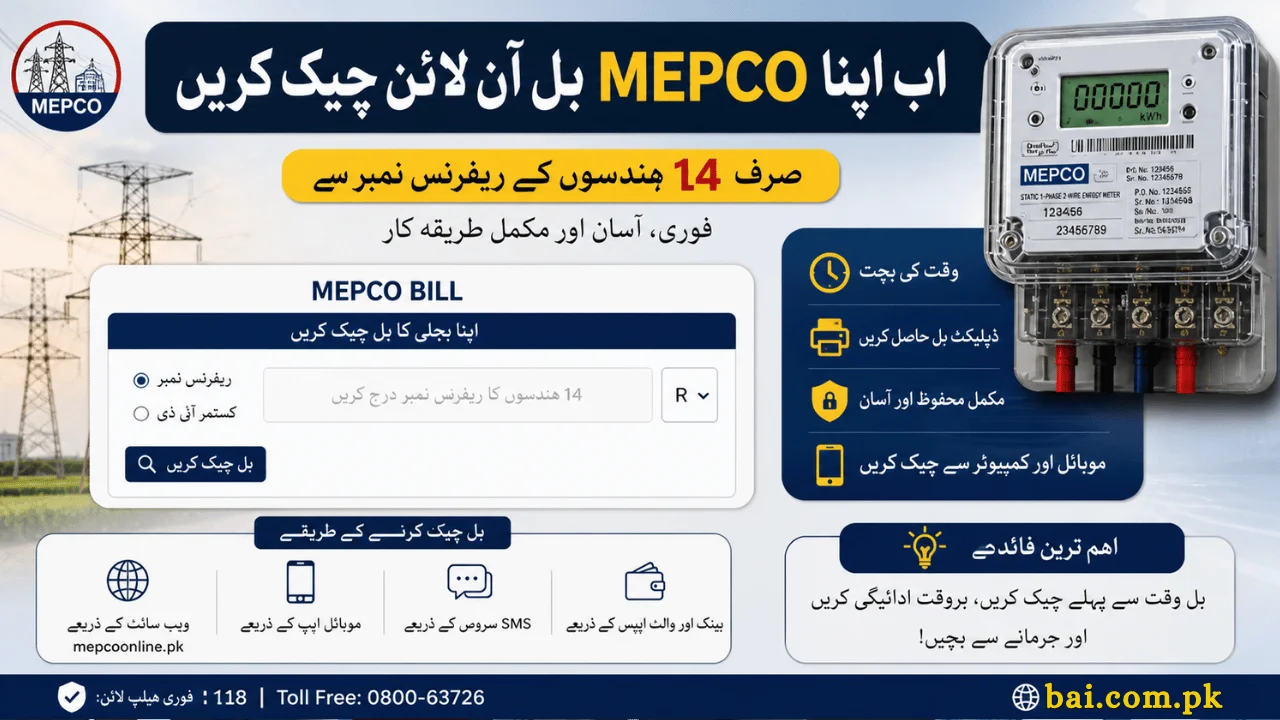
Electricity bills are a regular part of life, but in Pakistan, one common problem still frustrates many households: late or missing bill delivery. Sometimes the physical bill arrives just a day before the due date—or not at all. This creates stress, especially when you want to avoid late payment charges.
That’s where the MEPCO online bill check by 14 digit reference system becomes essential. It allows you to instantly view your bill, download a duplicate copy, and manage payments without waiting for paper delivery.
This guide goes beyond basic steps. It explains how the system works, common problems, expert tips, and practical ways to manage your electricity bills more efficiently in 2026.
What is MEPCO and Why Online Bill Checking Matters
MEPCO (Multan Electric Power Company) is one of Pakistan’s largest electricity distribution companies, covering major regions of South Punjab.
Areas Covered by MEPCO
- Multan
- Bahawalpur
- Rahim Yar Khan
- Dera Ghazi Khan
- Vehari
- Muzaffargarh
- Lodhran and nearby districts
Millions of consumers depend on MEPCO for electricity, making efficient billing access very important.
Why You Should Check MEPCO Bill Online
Many users don’t realize how useful online bill access is until they miss a due date.
Real-Life Situation
Imagine your bill arrives late, and the due date is tomorrow. You have no time to plan payment, and you end up paying a surcharge.
With online checking, you can:
- View your bill before it arrives
- Avoid late payment charges
- Download and print anytime
- Track your usage regularly
How to Check MEPCO Online Bill by 14 Digit Reference (Step-by-Step)
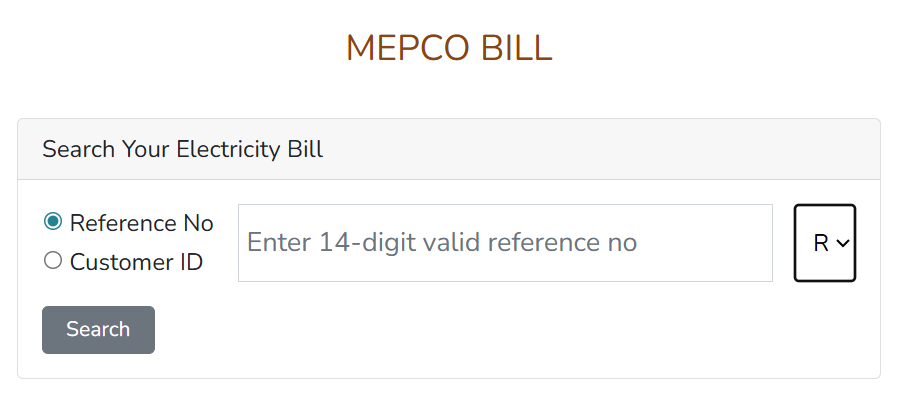
The process is simple, but accuracy is important.
Step 1: Find Your Reference Number
Your 14-digit reference number is printed on your previous bill. It is the most important detail.
Step 2: Enter Reference Number
Go to a trusted bill checking platform and enter your 14-digit number carefully.
Step 3: View Your Bill
Once entered, you can see:
- Total amount
- Due date
- Units consumed
- Previous bill details
Step 4: Download or Print
You can download a duplicate bill or print it for payment.
Where to Find Reference Number & Customer ID
Reference Number
- Located at the top section of your bill
- 14 digits long
- Required for online checking
Customer ID
- Another unique number on your bill
- Can sometimes be used as an alternative
Understanding Your MEPCO Bill (Expert Insight)
Many people check their bill but don’t understand the details.
Key Sections Explained
- Units Consumed: Shows electricity usage
- Tariff Rate: Cost per unit
- Taxes & Surcharges: Government-imposed charges
- Previous Balance: Any unpaid amount
Understanding these helps you control your electricity usage better.
Alternative Ways to Check MEPCO Bill
If the website is slow or unavailable, you have other options.
1. SMS Alerts Service
You can subscribe to receive:
- Bill amount
- Due date notifications
This is useful for people who don’t use the internet frequently.
2. Mobile Banking Apps
Apps like:
- Easypaisa
- JazzCash
- Bank apps
Allow you to:
- Check bill
- Pay instantly
3. Mobile Applications
Some official or utility apps provide:
- Bill tracking
- Payment history
- Notifications
How to Pay MEPCO Bill (2026 Methods)
Online Payment (Recommended)
- Mobile banking apps
- Digital wallets
- Internet banking
Offline Payment
- Banks
- Post offices
- MEPCO offices
ATM Payment
You can also pay through ATM machines without standing in long queues.
Comparison: Online vs Traditional Bill Management
| Feature | Online Bill Check | Physical Bill |
|---|---|---|
| Speed | Instant | Delayed |
| Availability | 24/7 | Limited |
| Risk of Late Fee | Low | High |
| Convenience | High | Low |
| Access Anywhere | Yes | No |
Common Problems and How to Fix Them
Invalid Reference Number
- Double-check digits
- Even one wrong digit causes error
Website Not Loading
- Try during off-peak hours
- Refresh page or use alternative site
Bill Not Showing
- Your bill may not be generated yet
- Check after a few days
What If You Lose Your Reference Number?
This is a common issue.
Solutions
- Check old bill copy
- Use mobile app with CNIC or meter number
- Visit nearest MEPCO office
Bill Estimation – Useful Tip
If your current bill is not generated yet, you can estimate:
- Check previous units
- Multiply with tariff rate
- Add taxes
This helps you plan your budget in advance.
Due Date Extension & Installment Option (2026 Update)
If you cannot pay full bill:
Extension
- Few days extension available depending on authority
Installments
- Large bills can be divided into monthly payments
Contact MEPCO office for approval.
How to Check if Bill is Paid or Not
After payment:
- Recheck your bill online
- Look for “Paid” status
- Save receipt for record
Safety Tips (Important)
- Always use trusted websites
- Never share personal details unnecessarily
- Avoid fake bill checking platforms
FAQs – Real User Questions
1. Can I check MEPCO bill without reference number?
Normally no. However, you may use Customer ID or visit MEPCO office for help.
2. Is online bill checking free?
Yes, it is completely free.
3. Can I download duplicate bill anytime?
Yes, you can download and print your bill whenever needed.
4. Why is my bill higher this month?
Possible reasons:
- Increased usage
- Seasonal changes
- Tariff adjustments
5. What happens if I miss the due date?
You will have to pay a late payment surcharge.
Conclusion
The MEPCO online bill check by 14 digit reference system has made electricity bill management much easier in 2026. Instead of relying on late paper delivery, you can now:
- Check your bill instantly
- Download duplicate copies
- Pay online
- Avoid extra charges
For best results:
- Save your reference number
- Check your bill early
- Use digital payment methods
This small habit can save you time, money, and unnecessary stress every month.
Final Advice
Make online bill checking part of your monthly routine. It gives you better control over your expenses and ensures you never miss a due date again.